Add a sales discount to a quote
Comment ajouter une
remise de vente
Consulter le guide pas à pas
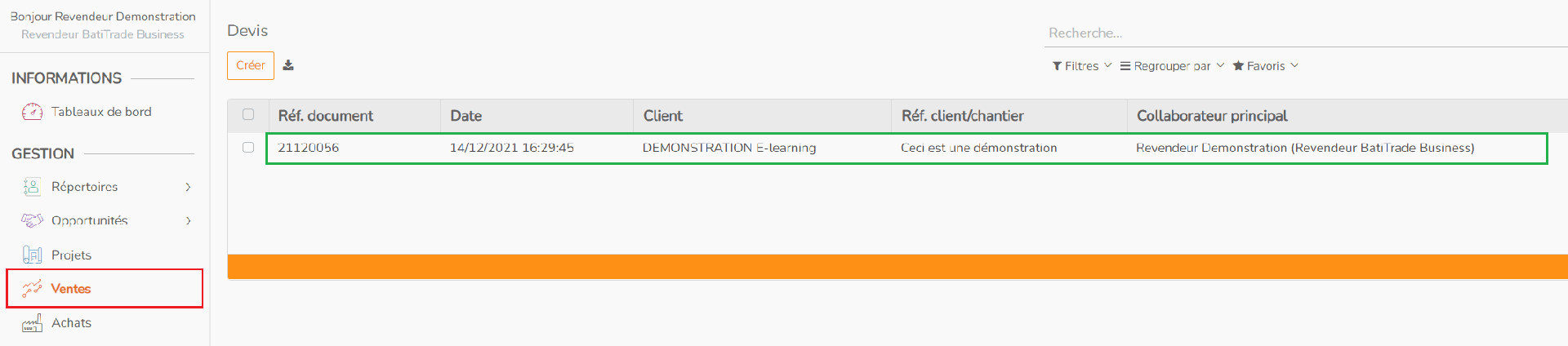
Log in to your BatiTrade pro area, go to the “Sales” tab and open the relevant quote.
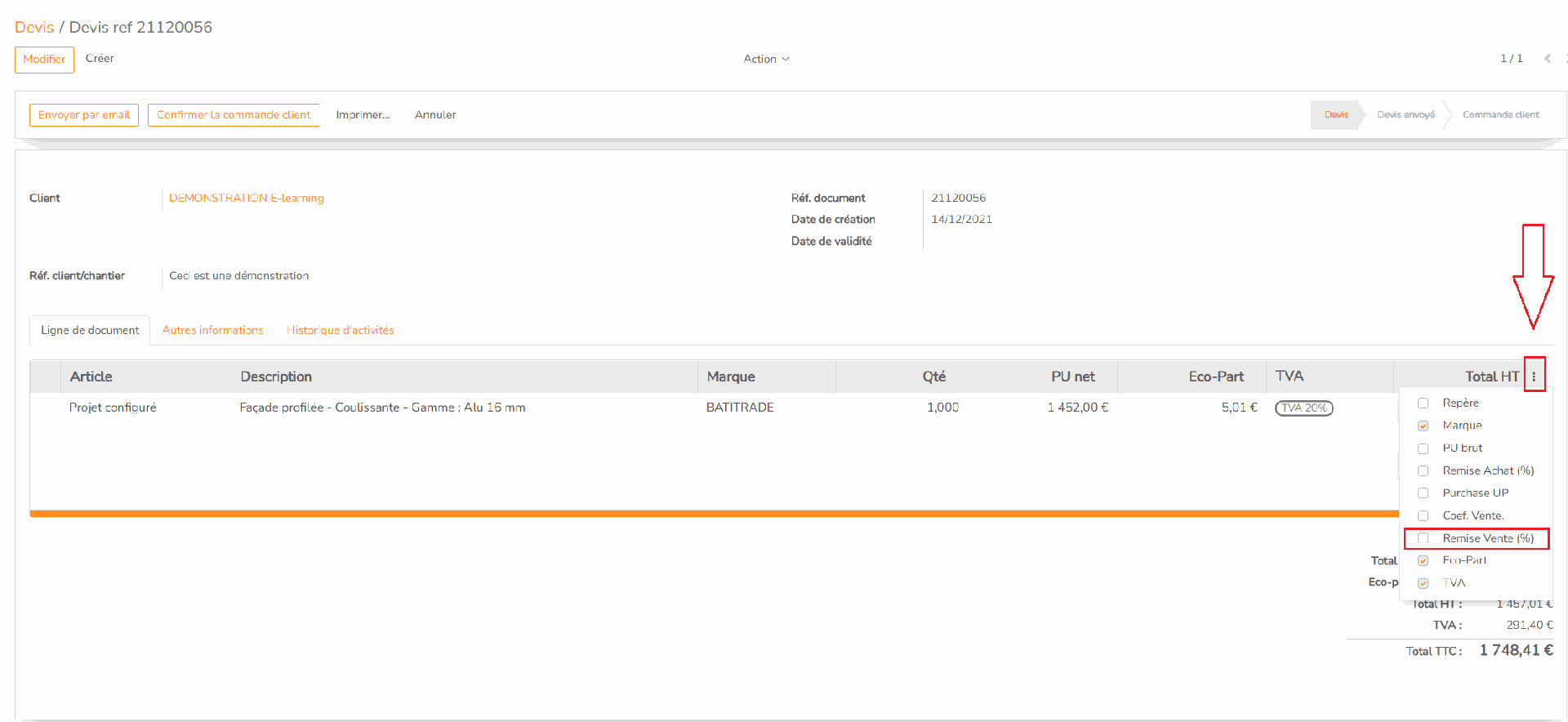
Once on the quotation page, in the header of the quotation positions table, click on the pictogram on the right, and tick the “Sales discount (%)” box as below
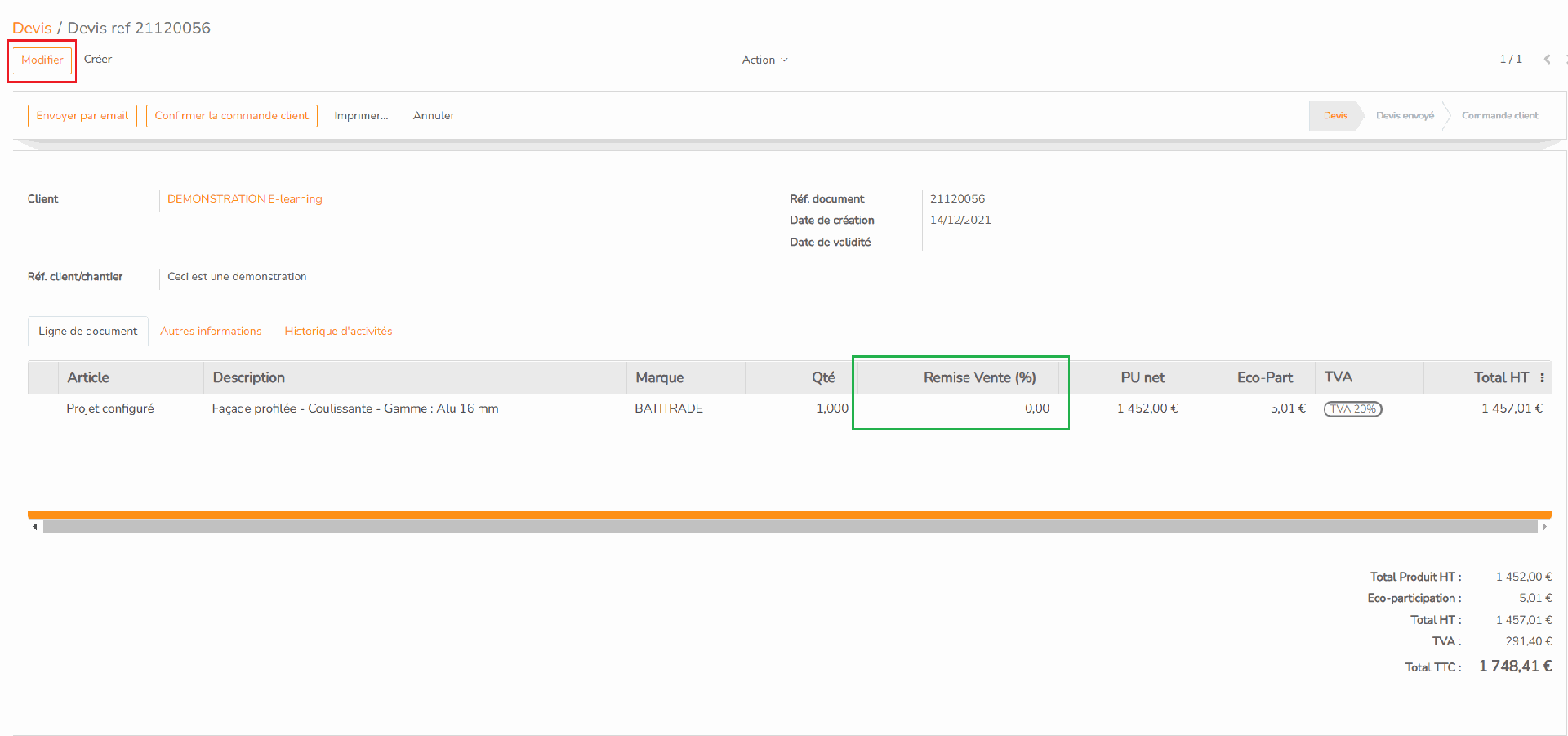
The sales discount now appears in the quote. Click on “Modify” to change its value.
Once you have entered the sales discount, 10% in the case below, click “Save” to validate it.
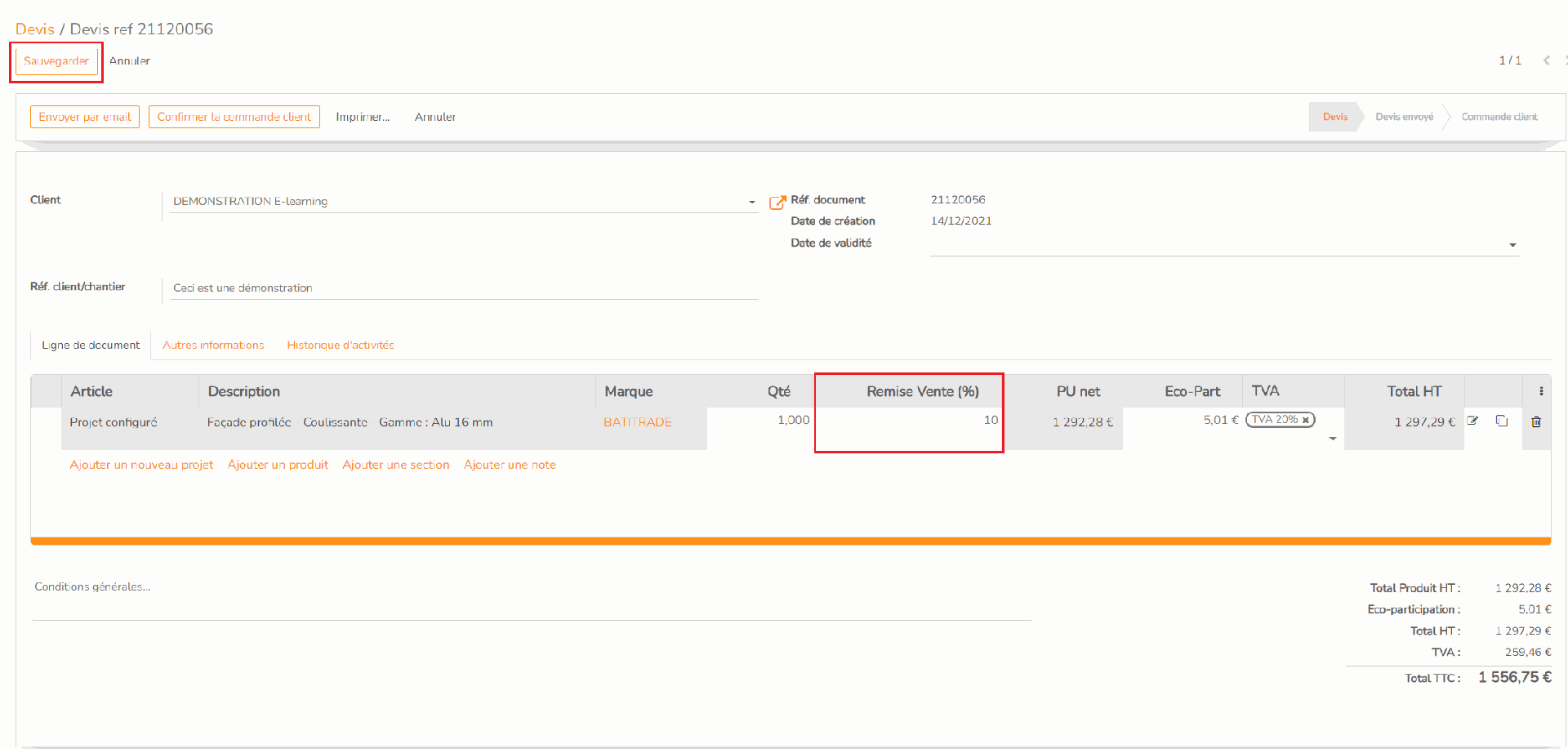
The discount is applied to the project in the quote, the price is impacted by this discount.
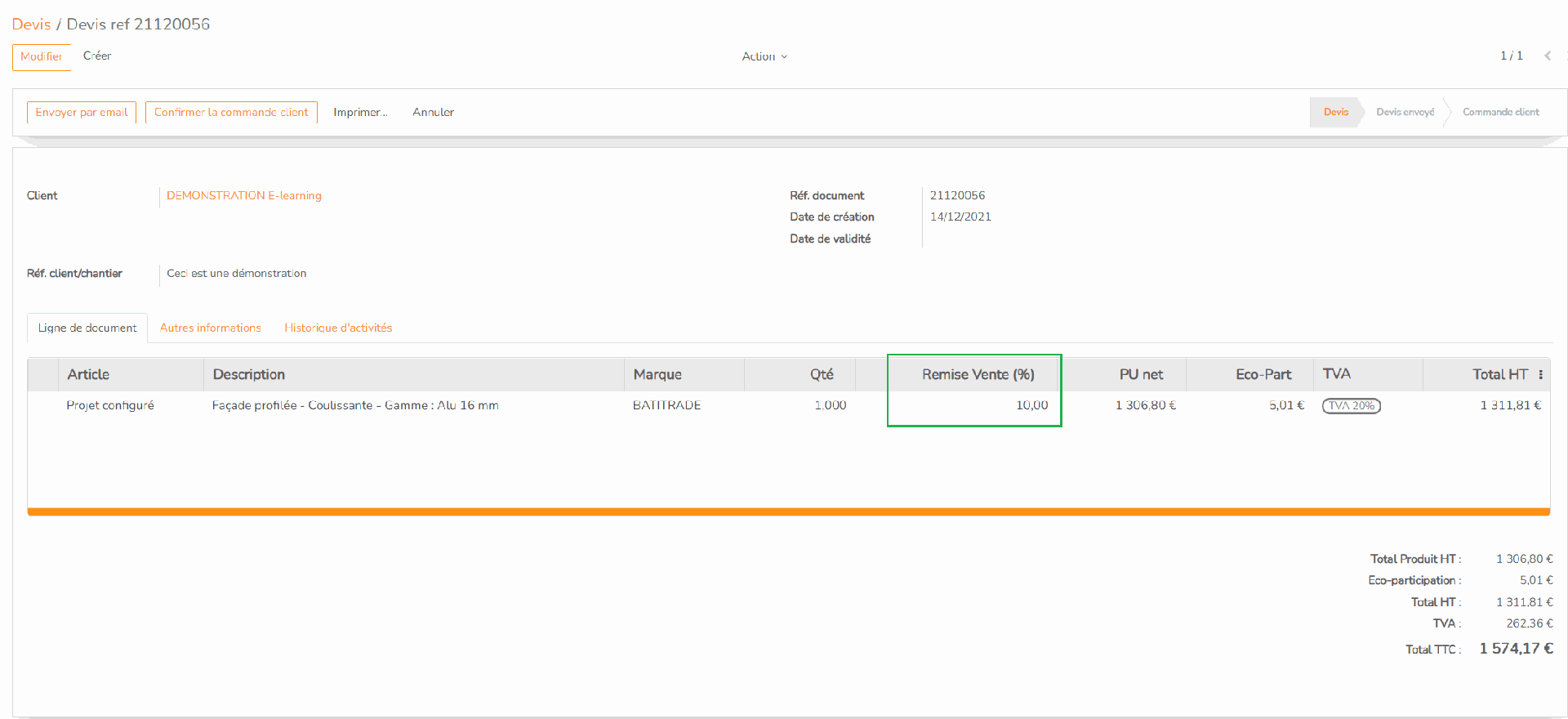
You have applied a sales discount to your project
Rating
There are no comments for now.
to be the first to leave a comment.