Deleting a contact (customer user)
Comment archiver
un contact
Do you want to remove a MyBusiness user from a client's company ?
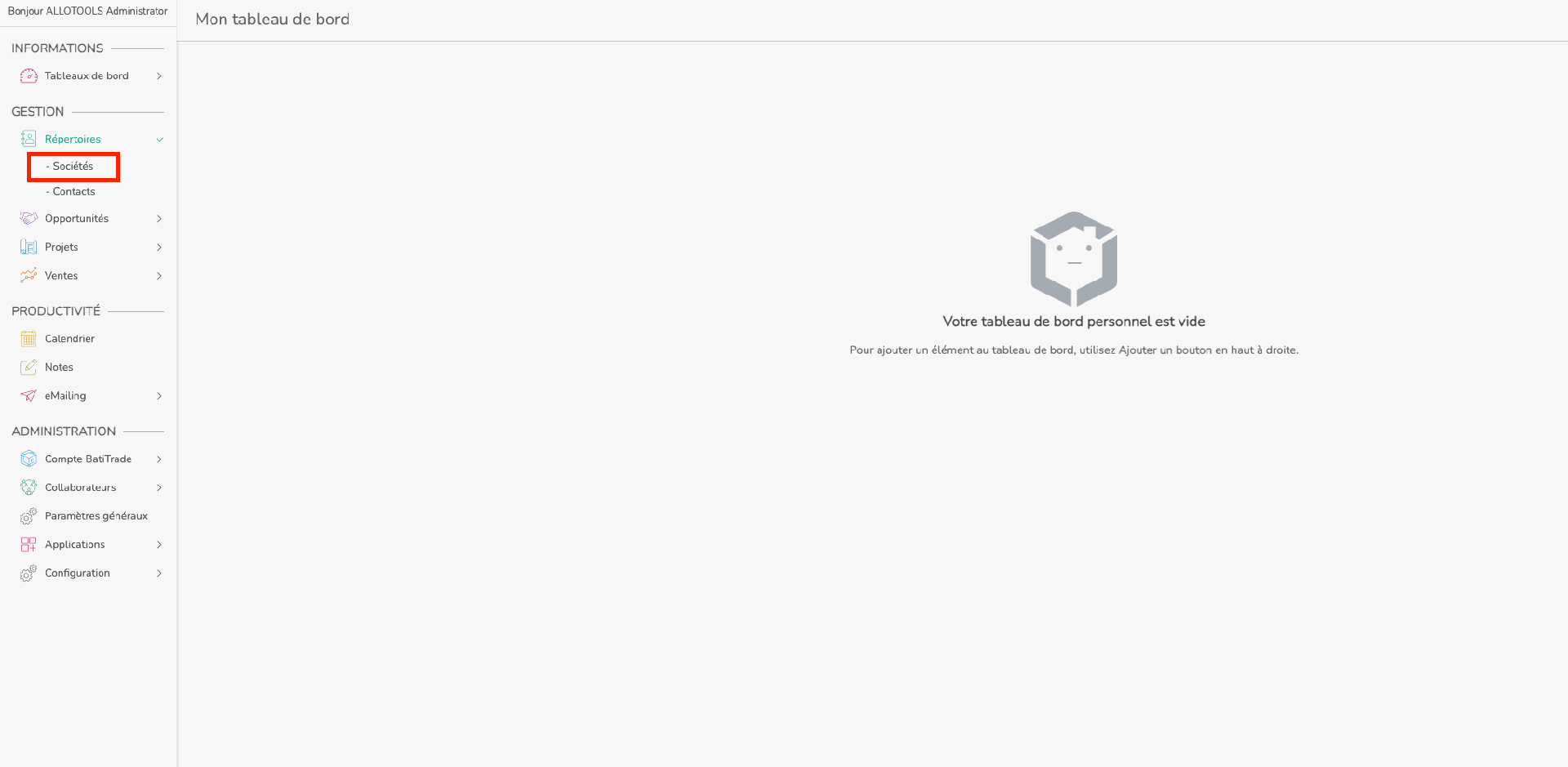
Log in to your MyBusiness account, then go to your Companies directory.
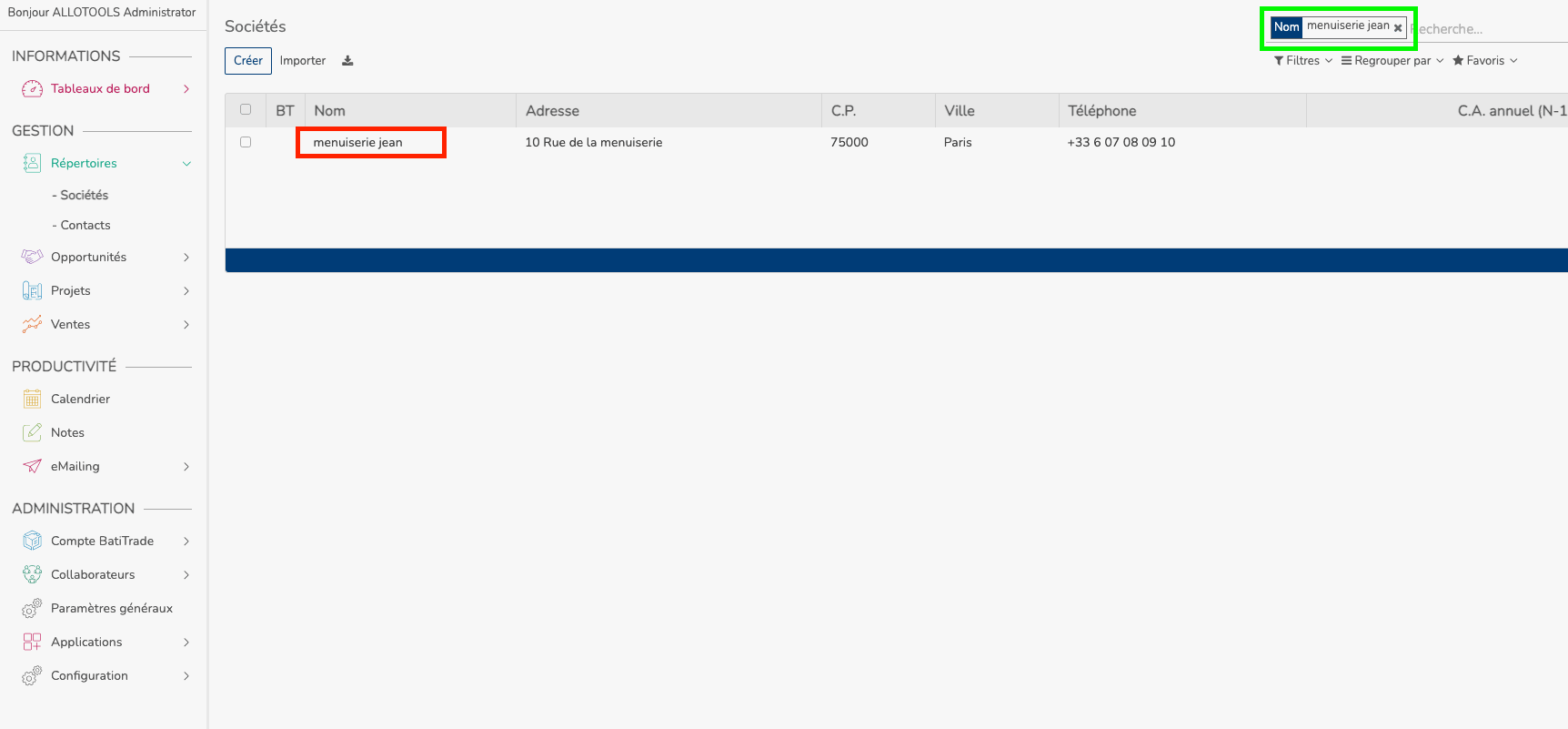
Search for the user's company, then click on it to open its company profile.
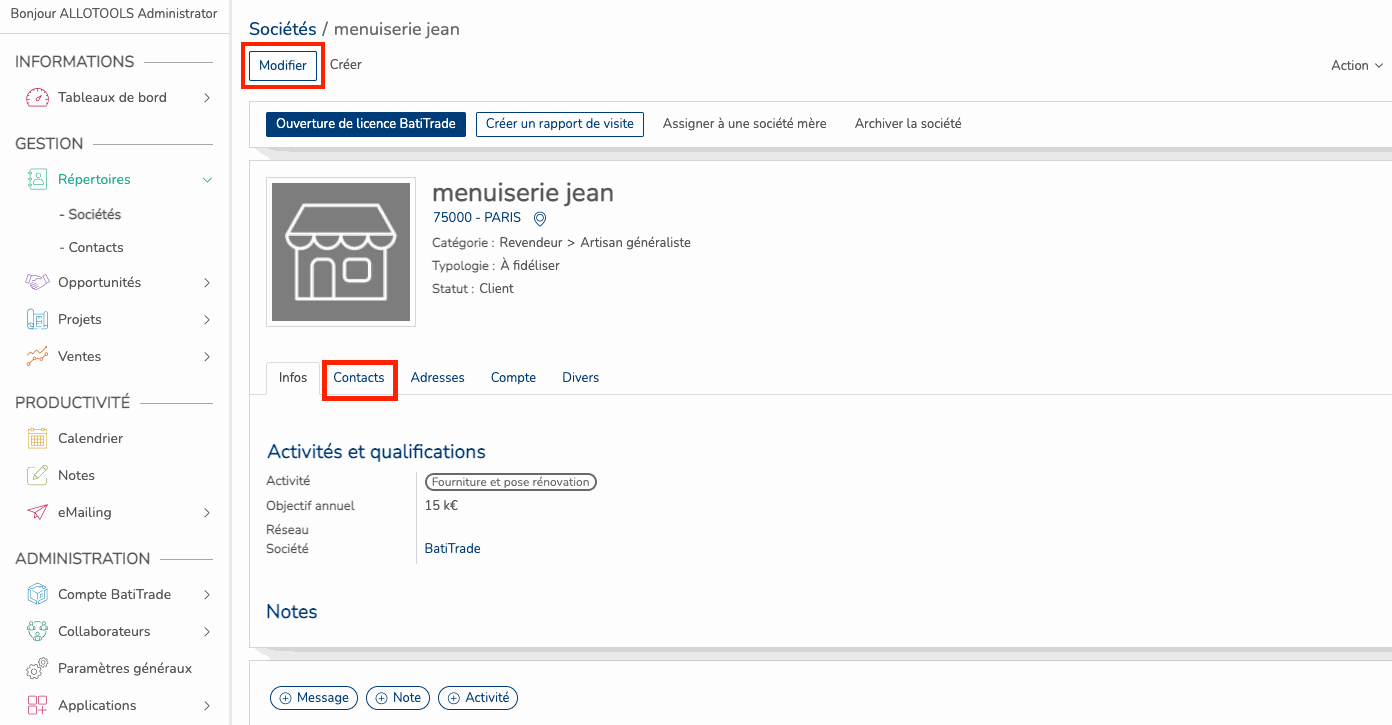
Once on the company profile, click on Edit, then go to the Contacts tab.
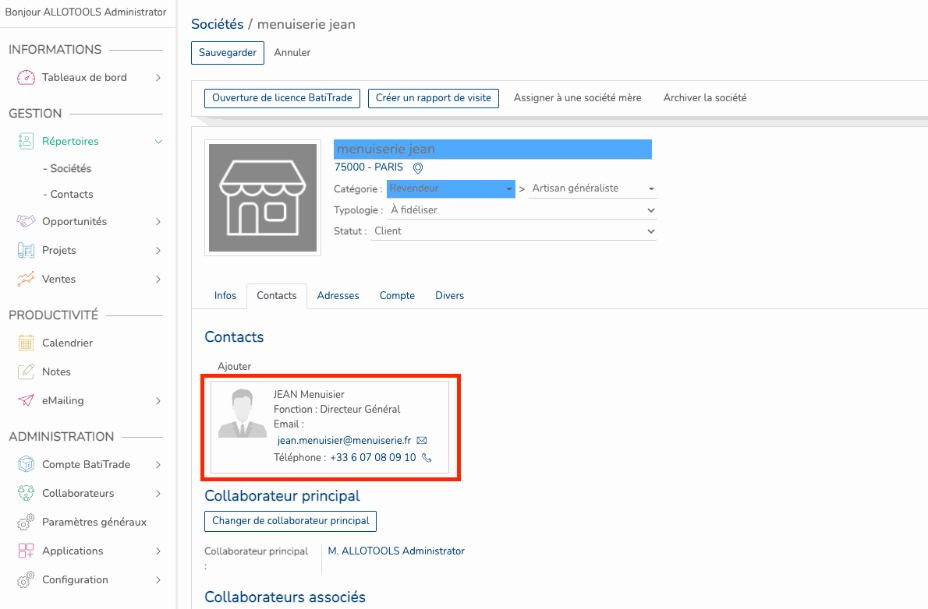
Then click on the user you want to archive.
Vous pouvez également "désarchiver" un utilisateur en allant dans les contacts
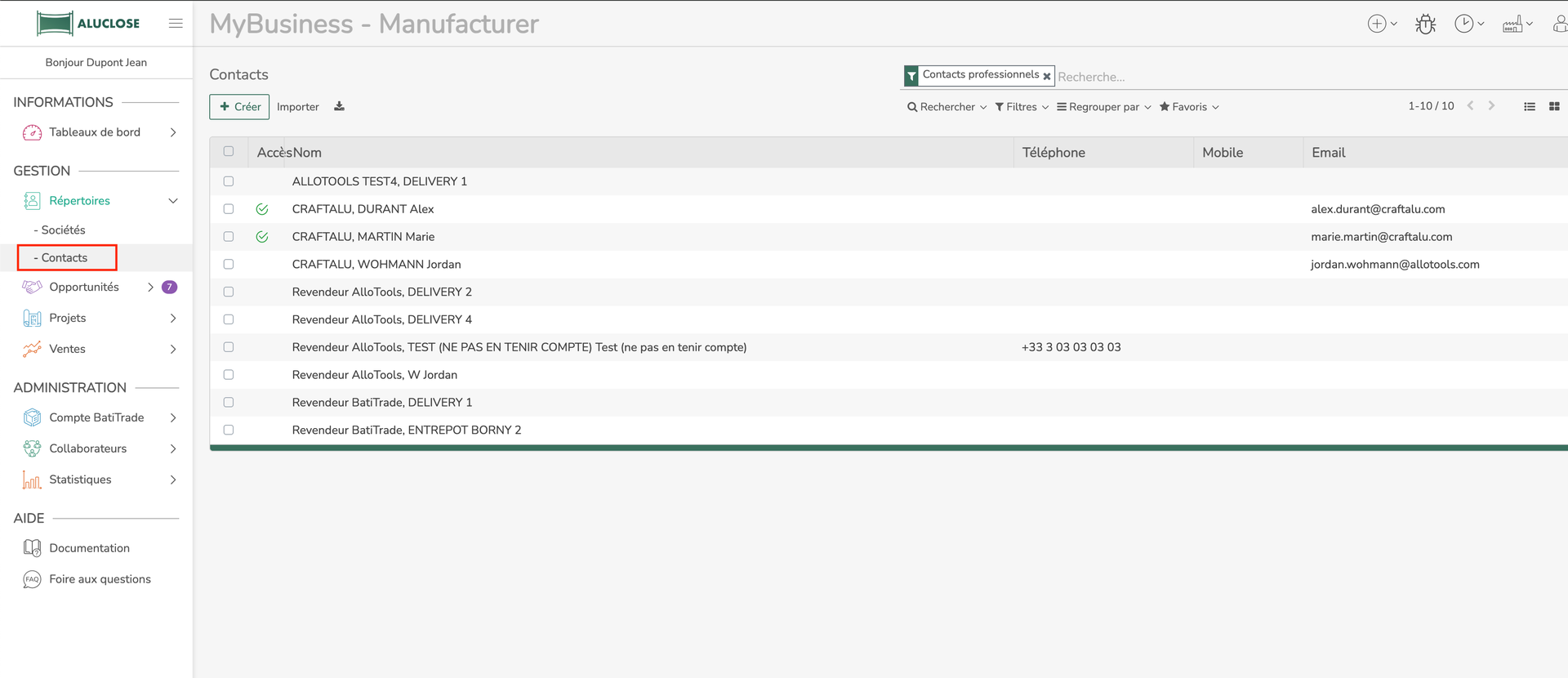
Pour cela, vous devez appliquer un filtre afin d’afficher les contacts archivés.
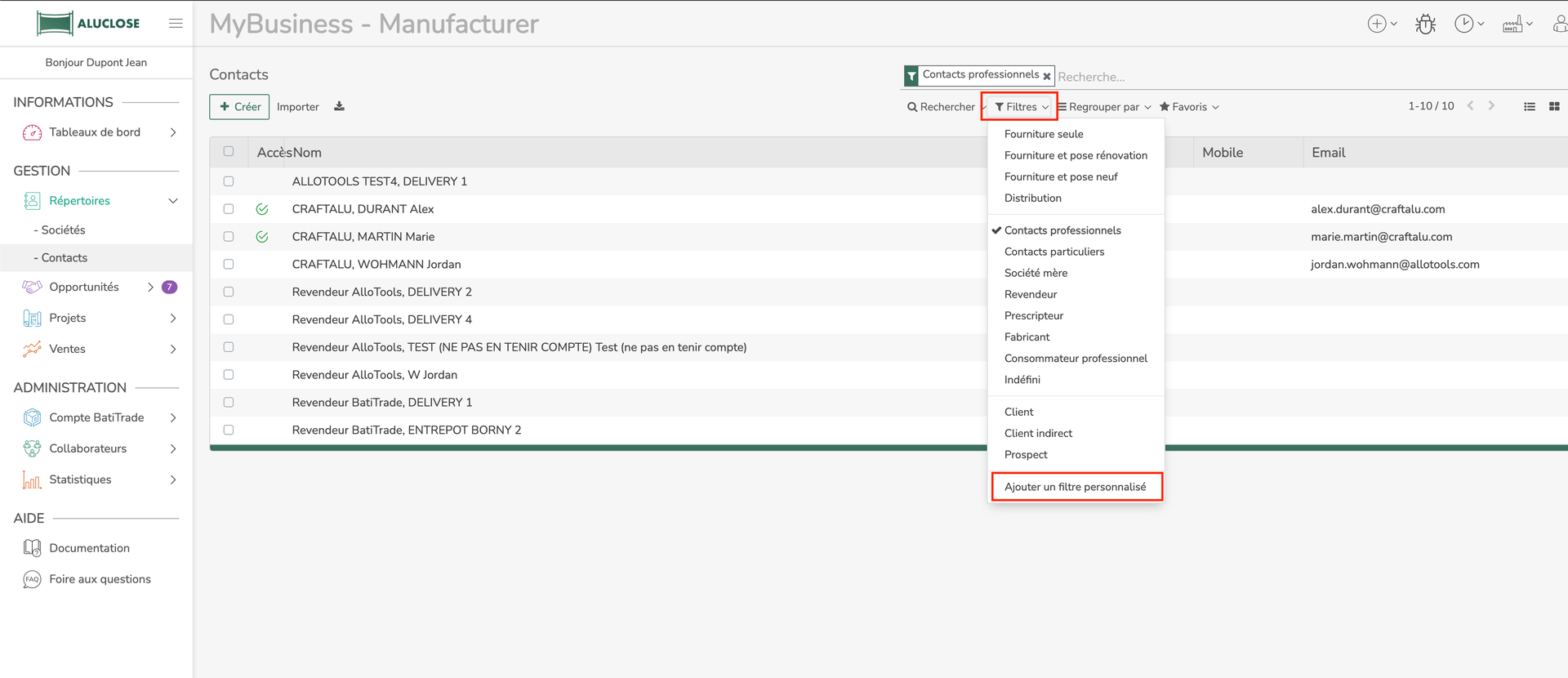
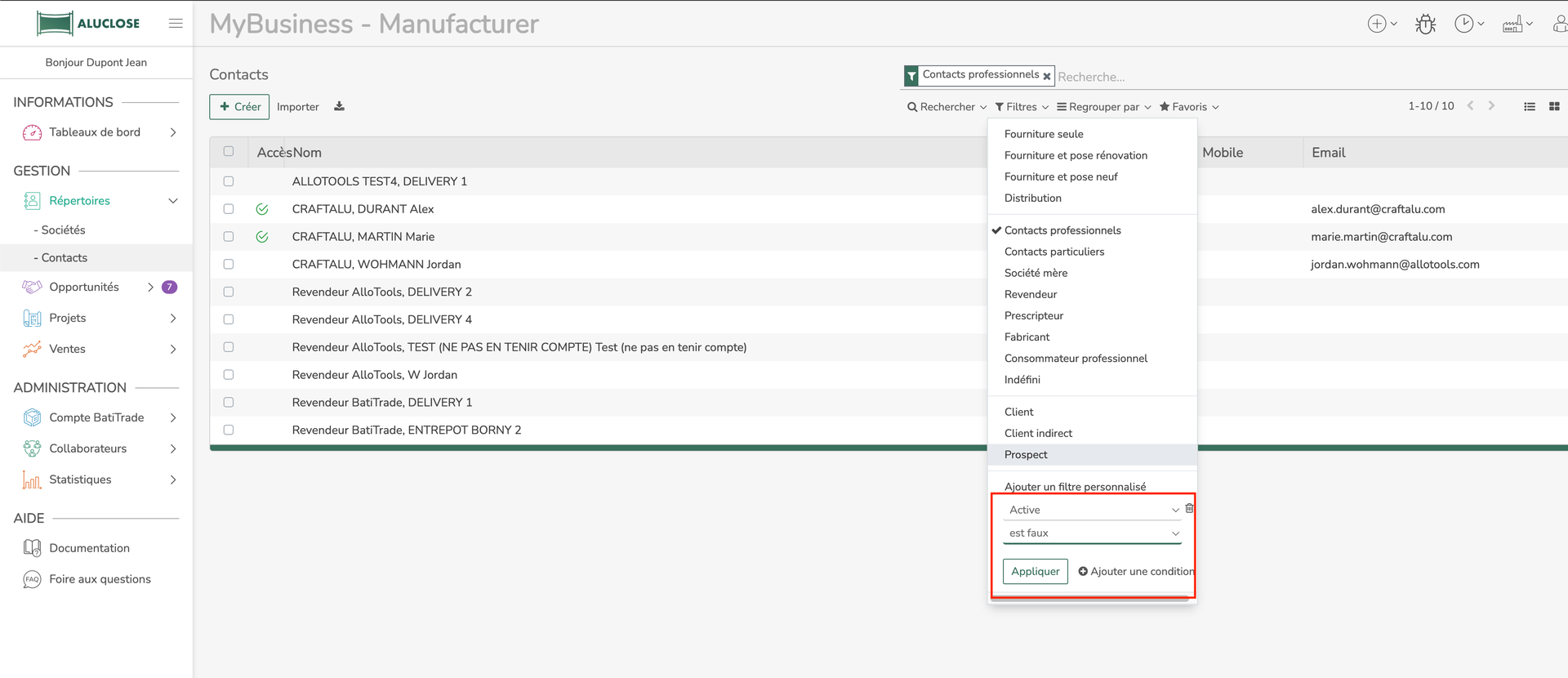
Une fois que votre filtre est appliqué, vous verrez s’afficher tous les contacts archivés dans votre instance
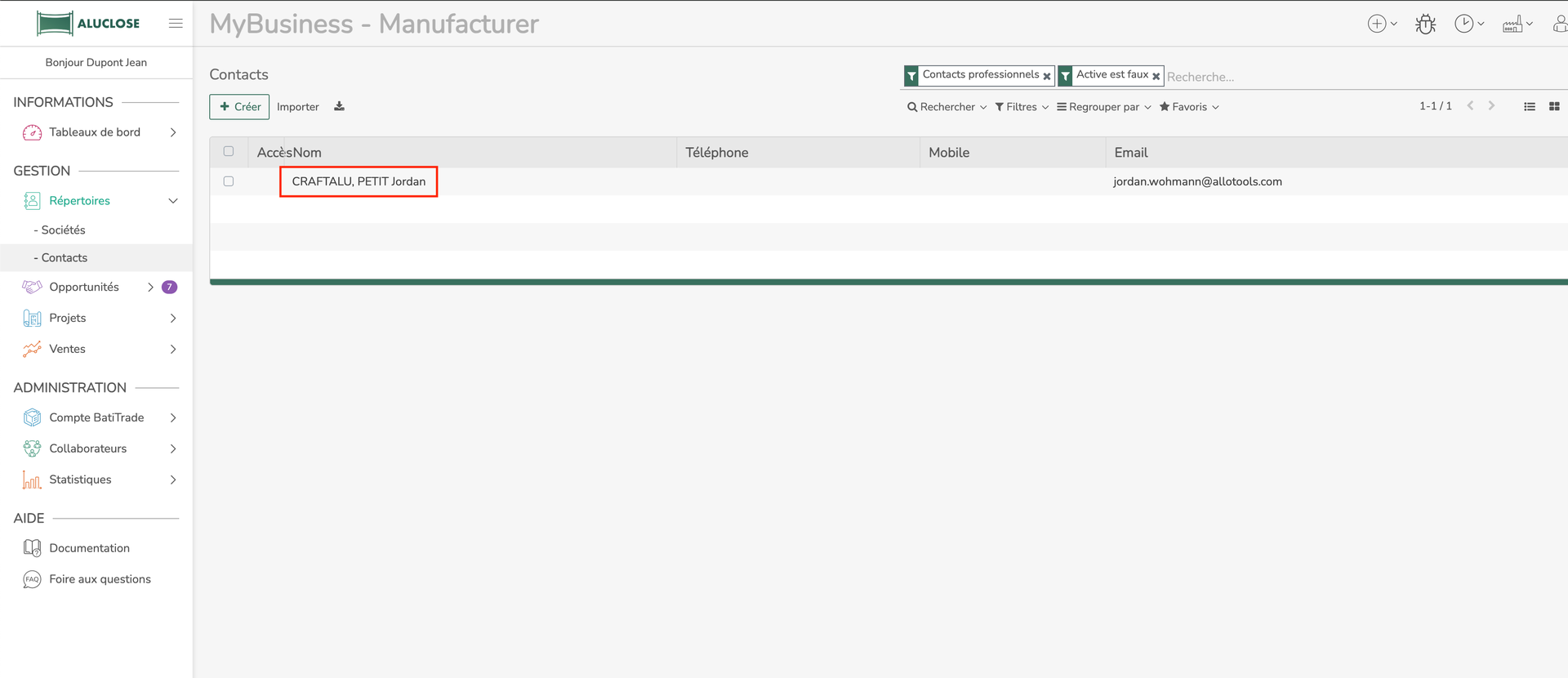
Vous pouvez maintenant cliquer sur le contact que vous souhaitez désarchiver, puis appuyer sur le bouton “Désarchiver”.
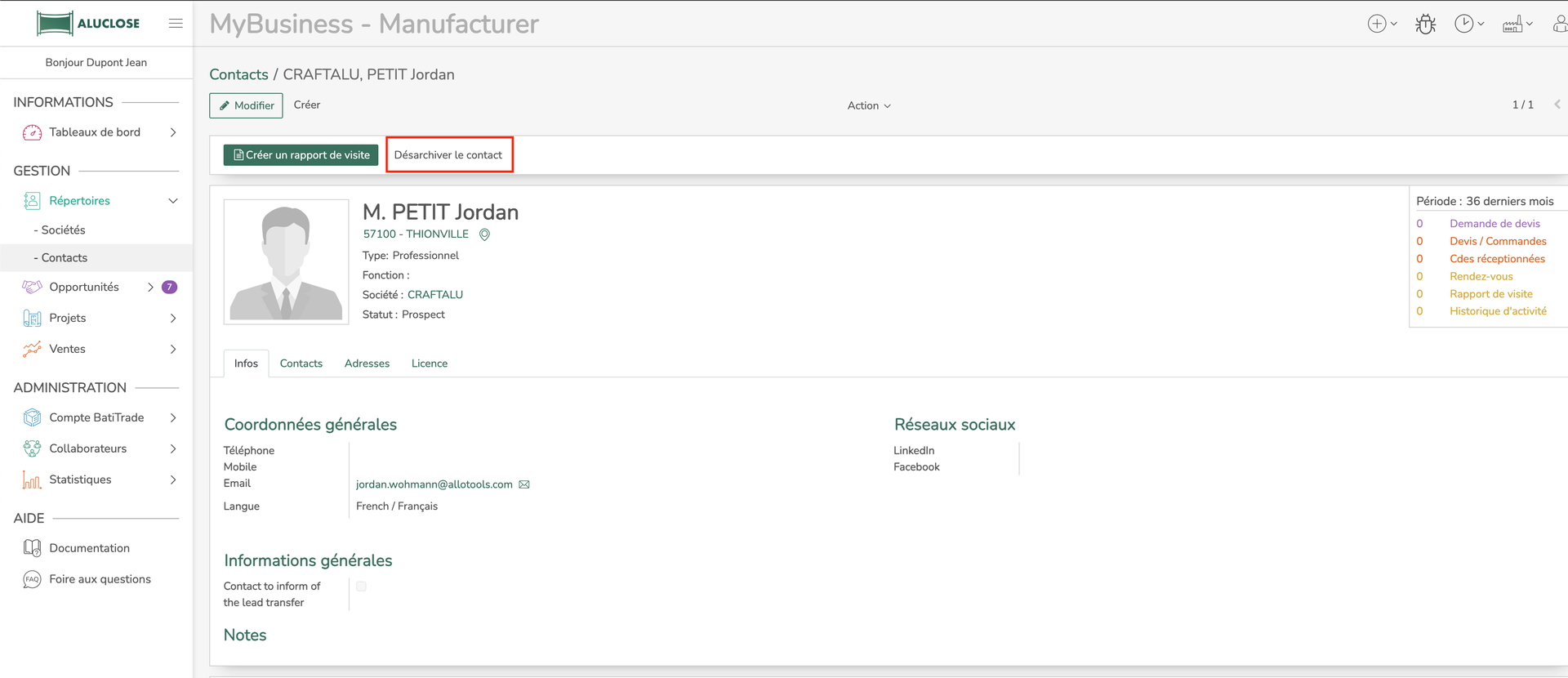
Vous pouvez archivé et désarchivé un utilisateur !
Rating
There are no comments for now.
to be the first to leave a comment.